Controller Actions
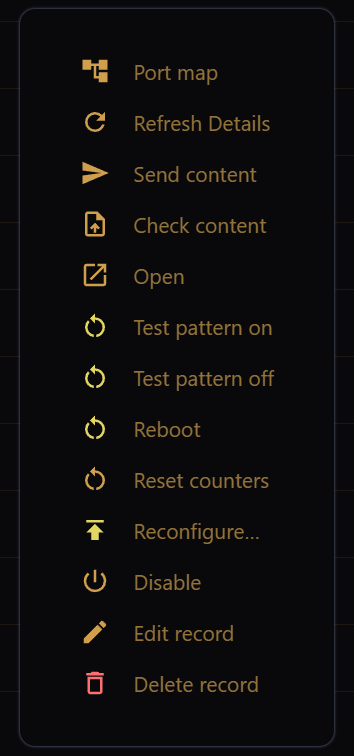
The controller actions available depend on the driver for the selected item, but may include:
- Port map: Opens the Port Map, showing the expected configuration for the controller.
- Refresh Details: Populates or refreshes the controller details.
- Open: Opens the controller web page. For this to work, the controller must be reachable via the network or via proxy through EZPlayer.
- Test pattern on / off: Starts or stops the controller's own hardware test pattern, on controllers that have one. While it runs, the outputs show the pattern instead of the show's data.
- Reboot: Allows soft and/or hard reboot of the controller, depending on the model.
- Reset counters: Zeroes the controller's packet and error counters, so the Show stats details start fresh.
- Reconfigure: Configure the controller according to its input settings, Port Map, and mode.
- Send output universes: Offered on the FPP players instead of Reconfigure. It rewrites the player's send list (which controller is sent which channels).
- Send content: Sends this show's sequences and audio to the controller / player; see Content Distribution.
- Check content: Reads the device's own file list and reports what a send would transfer, without transferring anything.
- Enable/Disable: Enable/Disable the controller from use by EZPlayer.
The actions also provide options for EZPlayer recordkeeping:
- Promote...: Save a record for a discovered controller that was not yet configured.
- Edit record: Edit EZPlayer controller-specific information (below).
- Delete record: Delete the controller's record from EZPlayer.
Edit record
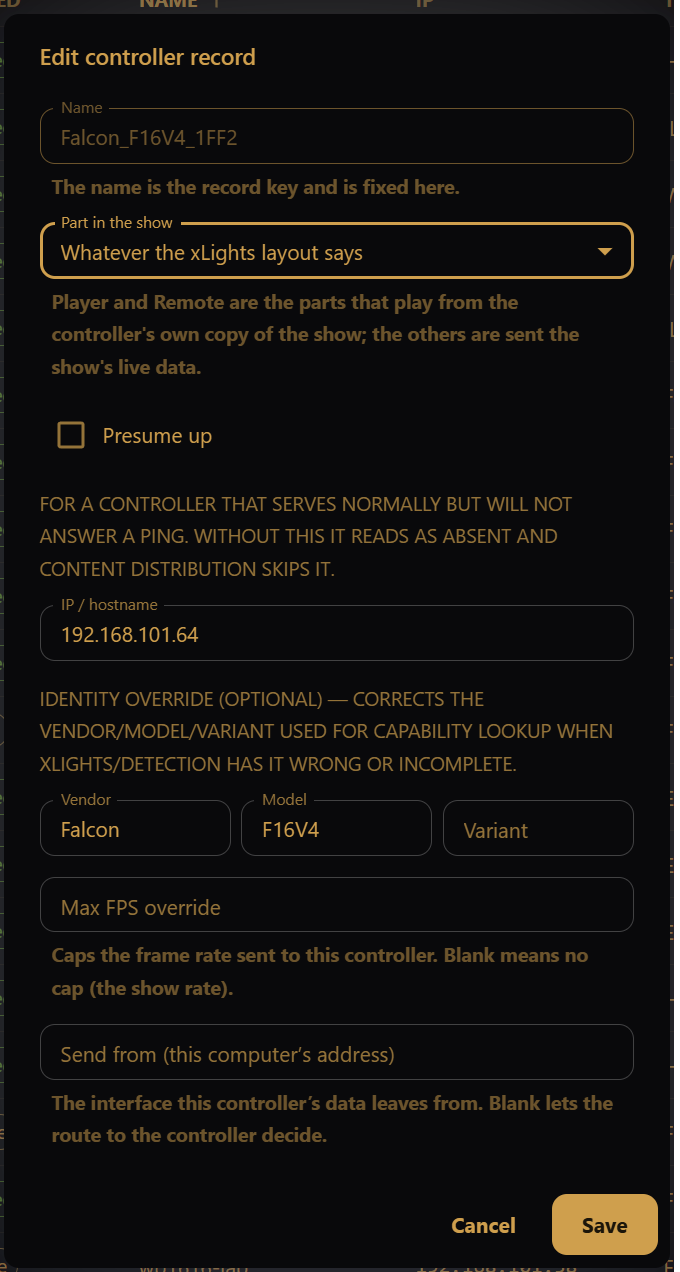
The record is EZPlayer's own information about a controller. This supersedes any information taken from the xLights layout:
- Part in the show: enabled, disabled, player or remote, or left to the layout. See Enabled / Disabled / Player / Remote / xLights Only.
- Presume up: for controllers that are "up" but do not answer pings.
- IP / hostname: where to reach the controller.
- Vendor / Model / Variant: the identity used to look up the controller's capabilities.
- Max FPS override: caps the frame rate sent to this controller; see Max FPS.
- Send from: the interface this controller's data leaves from, if it cannot be established automatically.