Controllers Overview
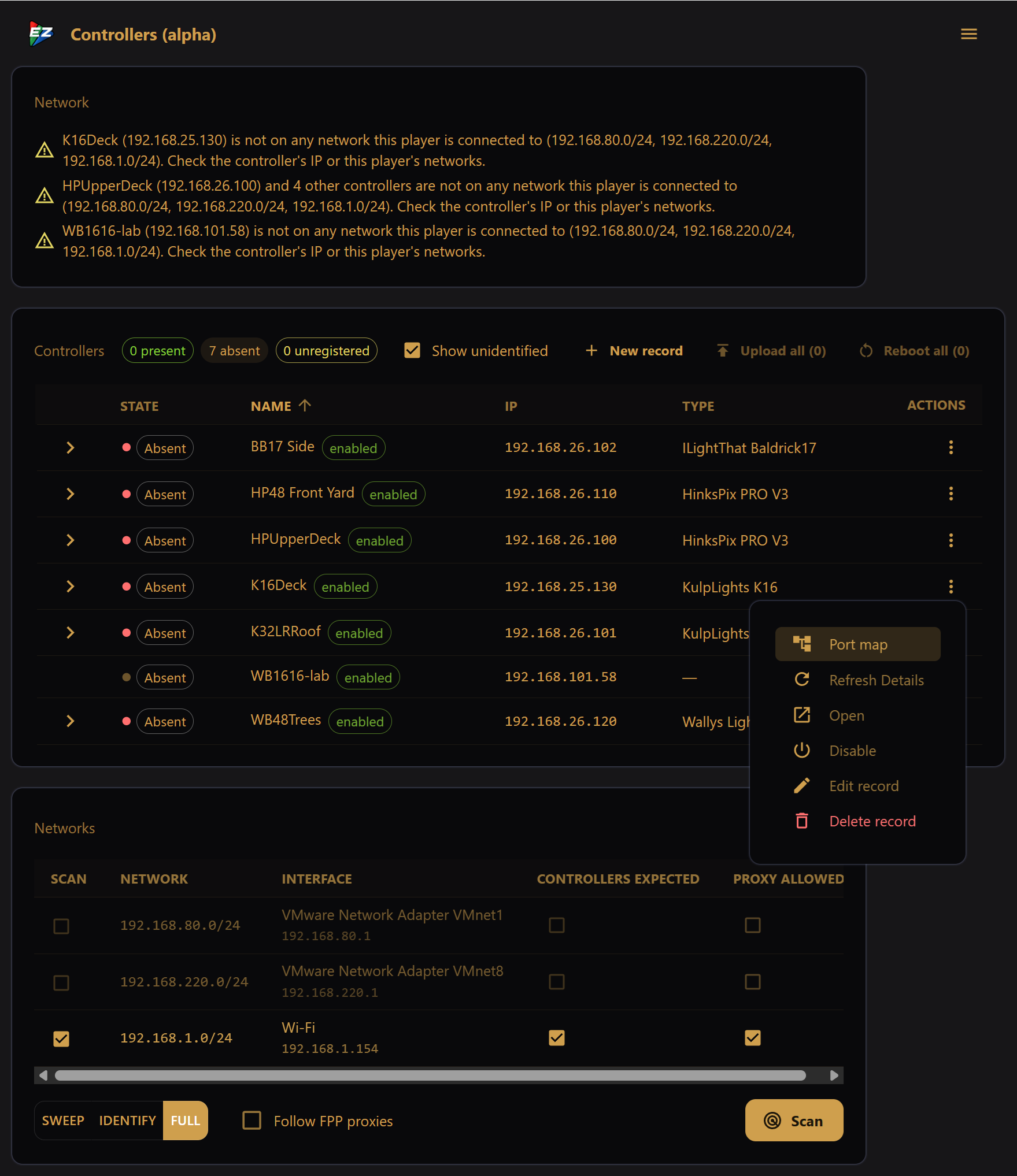
The EZPlayer "Controllers" screen provides deep integration with your show controllers:
- Significant controller configuration errors and warnings are shown right at the top
- Networks can be scanned for controllers and other devices
- Network proxy (the ability to access controller web pages and APIs from remote networks) can be turned on / off
- Detailed controller settings and statistics can be retrieved and viewed
- Controller management actions (reset, upload config, etc.) can be taken
- Overrides of configuration imported from an external system (such as xLights) can be made
- The physical "Port Map" topology can be viewed
Errors / Warnings List
If there are any controller configuration errors or warnings, they are presented at the top of the screen.
Controllers List
The controller list shows all configured and detected controllers. It presents status, details for each item, and allows actions to be taken.
Port Maps
The "Port Map" action opens a dialog showing which light models are connected to the controller ports.
Networks/Scan
The "Networks" section lists all networks on the player, allows proxy to be enabled, and offers scanning to identify devices.